
For years, I avoided reading long articles, ebooks, or even news stories on my phone. Every time I tried, the experience felt uncomfortable. The screen seemed too bright, the text too small, and after just a few minutes my eyes would feel strained.
Like many people, I assumed reading on a phone was simply not meant for extended use. I believed it was something you could only do for short messages or quick social media posts.
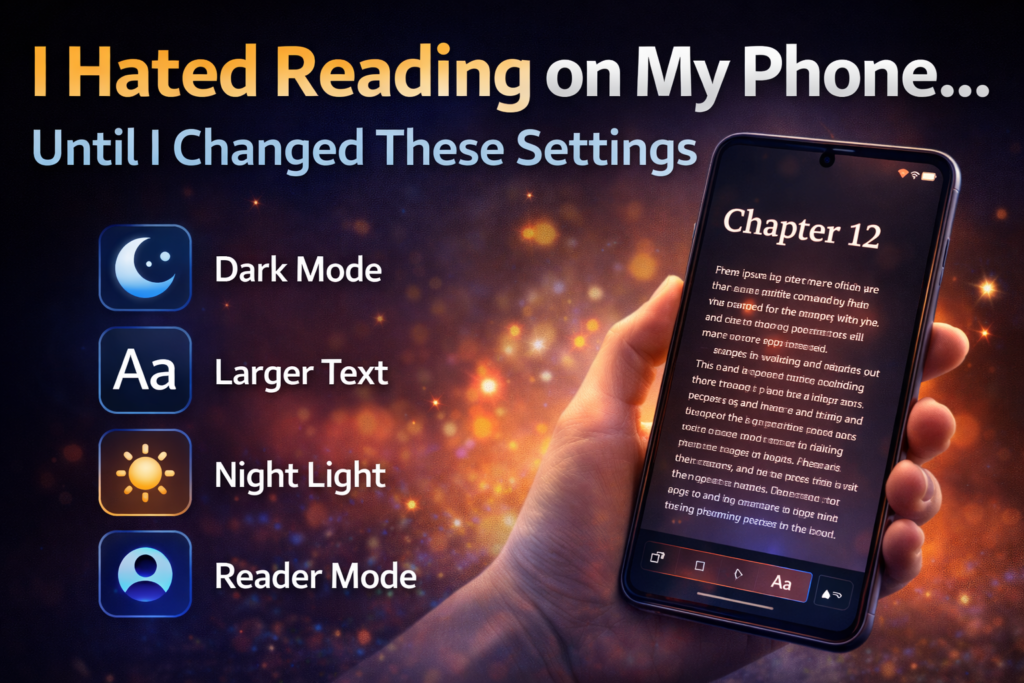
But everything changed when I discovered a few simple phone settings that dramatically improved the reading experience. Once I adjusted them, reading on my phone suddenly became easier, more comfortable, and surprisingly enjoyable.
Now I regularly read articles, ebooks, and research on my smartphone without feeling eye strain or fatigue.
If you’ve ever felt the same frustration with reading on your phone, this guide will show you the exact settings and adjustments that can make a huge difference.
Why Reading on Phones Often Feels Uncomfortable
Before fixing the problem, it helps to understand why many people dislike reading on smartphones in the first place.
Several factors can make mobile reading difficult:
- Screens that are too bright
- Small text sizes
- Blue light exposure
- Poor contrast between text and background
- Frequent notifications interrupting focus
These issues combine to create an experience that feels tiring rather than relaxing.
Fortunately, modern smartphones include built-in features designed specifically to improve reading comfort.
1. Increasing Text Size Makes Reading Instantly Easier
One of the first changes that improved my reading experience was adjusting the text size.
Most phones come with a default text size that works well for general use, but it may not be ideal for long reading sessions.
When the text is slightly larger, it becomes easier for your eyes to follow lines and paragraphs.
Why This Helps
Larger text reduces eye strain because your eyes don’t need to focus as intensely to read each word.
Many people notice immediate improvements simply by increasing the font size slightly.
Tip
You don’t need to choose the largest font option. Even a small increase in text size can make a big difference.
2. Turning On Dark Mode Reduces Eye Fatigue
Another setting that dramatically improved my reading experience was dark mode.
Dark mode changes the background from bright white to dark or black, with light-colored text.
Benefits of Dark Mode
- Reduces glare from bright screens
- Easier reading in low-light environments
- Less strain during nighttime reading
Many readers find dark mode especially comfortable when reading articles or ebooks before bedtime.
However, some people still prefer light mode during the day, so experimenting with both options can help you find what works best.
3. Night Light or Blue Light Filters Make a Huge Difference
One of the biggest causes of eye discomfort when using phones is blue light exposure.
Blue light is emitted by screens and can make your eyes feel tired, especially during evening reading.
Most smartphones now include a feature called:
- Night Light
- Eye Comfort Mode
- Blue Light Filter
This feature slightly warms the screen color, reducing harsh blue tones.
Real-Life Impact
Once I enabled this feature, I noticed that reading at night became far more comfortable.
Instead of feeling like I was staring into a bright flashlight, the screen looked softer and more natural.
4. Adjusting Screen Brightness Improves Comfort
Brightness settings can dramatically affect reading comfort.
Many people leave their phones on automatic brightness, which can sometimes make the screen too bright or too dim depending on the environment.
For reading, it often helps to manually adjust brightness so the screen matches the lighting around you.
General Rule
- Bright room → slightly brighter screen
- Dark room → dimmer screen
When brightness matches the environment, your eyes don’t have to constantly adjust.
5. Using Reader Mode Removes Distractions
One of my favorite discoveries was Reader Mode.
Many browsers now include this feature, which simplifies webpages by removing unnecessary elements.
When Reader Mode is enabled, it typically removes:
- Advertisements
- Pop-ups
- Sidebars
- Animations
What remains is a clean page with only text and images.
This makes reading articles much more relaxing.
6. Choosing the Right Reading App Matters
Not all apps display text in the same way.
Some reading apps are designed specifically for comfortable reading and include features such as:
- Adjustable fonts
- Page spacing controls
- Background color options
- Focus mode
Switching to a dedicated reading app can dramatically improve the experience compared to reading in a standard browser.
7. Enabling Focus Mode Helps You Stay Concentrated
One major reason people dislike reading on their phones is constant interruptions.
Notifications from social media, messages, and apps can break concentration every few minutes.
Focus Mode helps solve this problem by temporarily blocking notifications.
Benefits of Focus Mode
- Fewer distractions
- Better concentration
- More immersive reading sessions
This small change can transform phone reading into something closer to reading a physical book.
8. Adjusting Line Spacing and Font Style
Another underrated improvement is changing the font style and spacing.
Some fonts are easier to read than others.
Fonts designed for readability typically have:
- Clear letter shapes
- Balanced spacing
- Smooth curves
Line spacing also helps prevent text from feeling cramped.
When lines have enough space between them, your eyes can move more easily across the screen.
The Surprising Benefits of Reading on Your Phone
Once these settings are adjusted, reading on a phone can actually offer several advantages.
Always Available
Your phone is almost always with you, making it easy to read whenever you have a few spare minutes.
Access to Unlimited Content
Phones provide instant access to:
- News articles
- Blogs
- Ebooks
- Research papers
Adjustable Reading Experience
Unlike physical books, digital text can be customized for comfort.
You can adjust font size, color, and layout instantly.
My Personal Reading Habit Changed Completely
After making these changes, my reading habits improved dramatically.
Instead of avoiding long articles, I now find myself reading more frequently throughout the day.
Waiting in line, commuting, or relaxing in the evening all became opportunities to learn something new.
The phone that once felt like a terrible reading device became one of my favorite tools for discovering new ideas.
Tips for Creating the Perfect Mobile Reading Setup
If you want to make reading on your phone more enjoyable, consider these practical tips:
Find a Comfortable Font Size
Don’t hesitate to experiment until the text feels natural to read.
Use Reader Mode Whenever Possible
Cleaner pages make long reading sessions more enjoyable.
Take Short Breaks
Looking away from the screen occasionally helps reduce eye strain.
Adjust Settings for Day and Night
Different lighting environments require different display settings.
Final Thoughts
For many people, reading on a smartphone feels frustrating at first. The combination of bright screens, small text, and constant distractions can make the experience uncomfortable.
However, with a few simple adjustments, your phone can become a surprisingly powerful reading tool.
By changing settings such as text size, dark mode, brightness, and blue light filters, you can create a reading experience that feels natural and comfortable.
Once these settings are optimized, reading on your phone may become something you actually enjoy rather than avoid.
Frequently Asked Questions
Is reading on a phone bad for your eyes?
Reading on a phone is generally safe, but long sessions without breaks can cause eye strain. Adjusting brightness, enabling blue light filters, and increasing text size can make reading much more comfortable.
Does dark mode help with reading?
Dark mode can reduce glare and make reading easier in low-light environments. However, some people still prefer light backgrounds during daytime reading.
What is Reader Mode on smartphones?
Reader Mode simplifies webpages by removing ads and distractions, leaving only the main article content. This makes reading easier and more focused.
Should I increase text size when reading on my phone?
Yes. Slightly larger text can reduce eye strain and improve readability, especially during longer reading sessions.
Can phones replace ebooks for reading?
While dedicated e-readers are still popular, modern smartphones with proper settings can provide a very comfortable reading experience.
SHARING IS CARING 💖