
If you actively use Instagram to grow your profile, promote a business, or connect with followers, encountering the “Action Blocked” error can be frustrating.
You might try to follow someone, like a post, comment, or send a message, only to see a notification saying that the action has been blocked. Suddenly, many normal activities stop working.
This situation often confuses users because Instagram doesn’t always explain the exact reason for the block.
The good news is that most Instagram action blocks are temporary and can be fixed with the right steps.
In this guide, we’ll explain why Instagram blocks actions, how users in the USA can fix the problem, and how to avoid it in the future.
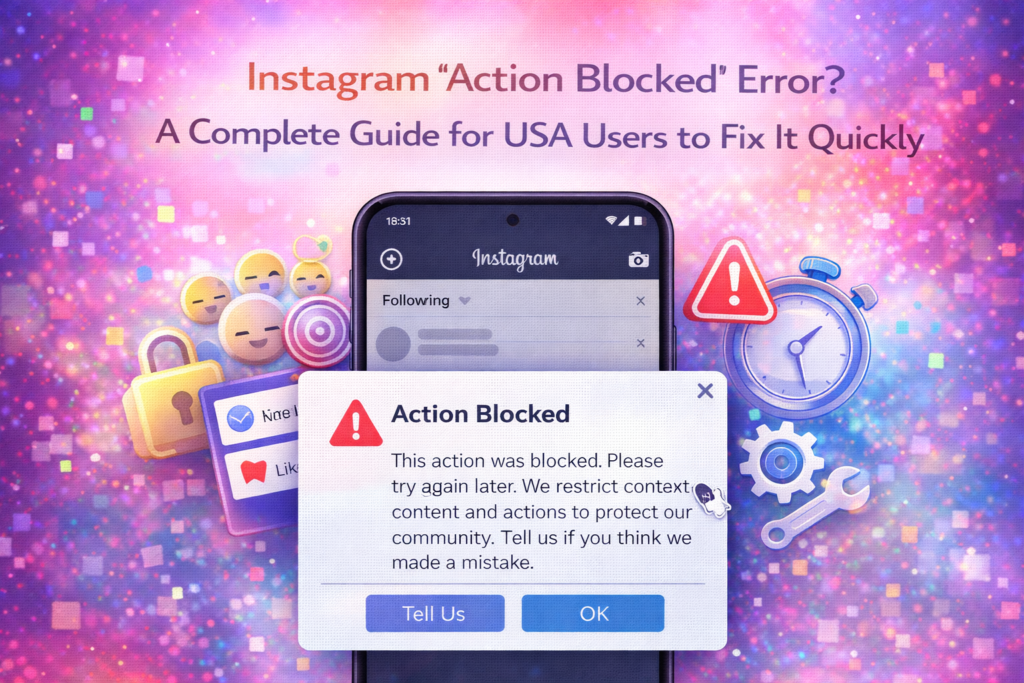
What Does “Action Blocked” on Instagram Mean?
The “Action Blocked” message appears when Instagram temporarily restricts certain activities on your account.
These restrictions usually affect actions such as:
- Following new accounts
- Liking posts
- Commenting on content
- Sending messages
- Posting repeatedly
Instagram uses these restrictions to prevent spam, automated behavior, and suspicious activity.
In many cases, the restriction is temporary and will automatically disappear after some time.
Common Reasons Instagram Blocks Actions
Understanding why Instagram blocks actions is the first step toward solving the problem.
1. Performing Too Many Actions Quickly
One of the most common reasons for an action block is performing too many activities in a short period.
For example:
- Following dozens of accounts rapidly
- Liking hundreds of posts in minutes
- Commenting repeatedly on multiple posts
Instagram’s system may interpret this behavior as automated activity.
Real-Life Example
A user trying to grow their account quickly might follow many accounts in a short time. Instagram’s algorithm may detect this as unusual activity and temporarily block the account.
2. Using Third-Party Automation Tools
Many users try to grow their Instagram accounts using automation tools.
These tools may automatically:
- Follow and unfollow accounts
- Like posts
- Leave comments
Instagram strongly discourages this behavior and may restrict accounts that use such tools.
3. Repeated Comments or Messages
Posting the same comment repeatedly can trigger Instagram’s spam detection system.
This often happens when users copy and paste identical promotional comments.
4. Suspicious Login Activity
If Instagram detects unusual login locations or devices, it may temporarily restrict actions.
This helps protect accounts from potential hacking attempts.
5. Violating Instagram Community Guidelines
Accounts that repeatedly violate Instagram’s guidelines may experience restrictions.
Examples include:
- Posting inappropriate content
- Sending spam messages
- Misusing hashtags
Following platform guidelines helps prevent restrictions.
How to Fix the Instagram “Action Blocked” Error
If your account is currently blocked, several solutions may help restore normal activity.
1. Wait for the Block to Expire
Many Instagram action blocks are temporary.
They may last anywhere from a few hours to several days.
What You Should Do
Stop performing the restricted action and wait for the block to lift automatically.
Trying to repeat the action during the block may extend the restriction.
2. Verify Your Instagram Account
Sometimes Instagram may ask you to verify your account.
Verification helps confirm that you are a real user and not an automated system.
Verification Methods
You may be asked to confirm your account through:
- Phone number verification
- Email confirmation
- Security checks
Completing these steps often restores normal activity.
3. Log Out and Log Back In
Refreshing your account session can sometimes resolve temporary glitches.
Steps
- Open Instagram settings.
- Log out of your account.
- Log back in again.
This simple step can reset certain restrictions.
4. Remove Third-Party Apps
If your account is connected to automation tools or third-party apps, disconnect them immediately.
Why This Matters
These apps often violate Instagram’s policies and trigger action blocks.
Removing them reduces the risk of further restrictions.
5. Report the Problem to Instagram
If you believe the action block was applied incorrectly, you can report it.
How to Report
- Tap Tell Us in the error message.
- Follow the instructions to submit feedback.
Instagram may review your account and remove the restriction.
Tips to Prevent Future Action Blocks
Once the block is resolved, adopting better Instagram habits can prevent the issue from happening again.
Avoid Rapid Activity
Spread your actions throughout the day instead of performing many actions at once.
Limit Repetitive Comments
Avoid posting identical comments repeatedly across multiple posts.
Don’t Use Automation Tools
Organic engagement is safer and more effective than automated growth tools.
Follow Instagram Community Guidelines
Respecting platform rules helps maintain account stability.
Real-Life Example: Fixing an Instagram Action Block
Imagine a small business owner who tries to promote their page by liking hundreds of posts within minutes.
Soon after, Instagram displays an “Action Blocked” message.
The user stops all activity for 24 hours and removes a third-party growth tool connected to their account.
After waiting, the restriction disappears and the account returns to normal.
This example shows how small changes in activity behavior can solve the problem.
Why Instagram Uses Action Blocks
Instagram’s goal is to maintain a safe and authentic community.
Action blocks help prevent:
- Spam accounts
- Automated bots
- Fake engagement
Although restrictions can sometimes feel inconvenient, they help ensure that real users have a better experience on the platform.
Final Thoughts
Encountering an Instagram “Action Blocked” error can be frustrating, especially if you rely on the platform for personal connections or business growth.
Fortunately, most action blocks are temporary and can be resolved by waiting, verifying your account, and avoiding suspicious activity.
By following Instagram’s guidelines and engaging with the platform naturally, you can keep your account running smoothly and avoid future restrictions.
With the right approach, you’ll be able to continue growing your Instagram presence without interruptions.
Frequently Asked Questions
Why does Instagram say “Action Blocked”?
Instagram blocks actions when it detects unusual or spam-like activity.
How long does an action block last?
Action blocks can last anywhere from a few hours to several days depending on the reason.
Can I remove an Instagram action block immediately?
Most blocks cannot be removed instantly, but verifying your account or reporting the issue may help.
Do automation tools cause action blocks?
Yes. Using third-party automation tools can trigger Instagram restrictions.
How can I avoid getting blocked again?
Avoid rapid actions, limit repetitive comments, and follow Instagram’s community guidelines.
SHARING IS CARING 💖