
Online privacy is becoming harder to maintain every year. From tracking cookies to data collection and targeted ads, your browsing activity is constantly monitored.
In 2026, choosing the right browser is no longer just about speed—it’s about security, privacy, and control over your data.
The good news is that several browsers are designed specifically to protect your privacy.
In this guide, we’ll explore the safest web browsers for privacy in 2026, how they work, and which one is best for you.
Why Browser Privacy Matters More Than Ever
Every time you browse the internet, your browser can collect data such as:
- browsing history
- search queries
- location data
- device information
- login sessions
This data can be used for:
- targeted advertising
- tracking behavior
- building user profiles
Without proper protection, your digital footprint becomes easy to monitor.
What Makes a Browser “Safe” for Privacy?
Before choosing a browser, it’s important to understand what features matter:
🔒 Strong Privacy Features
- blocking trackers
- preventing fingerprinting
- encrypted browsing
🛡️ Built-in Security Tools
- phishing protection
- malware blocking
- HTTPS enforcement
🚫 Minimal Data Collection
- no unnecessary tracking
- transparent privacy policies
🔄 Regular Updates
- quick security patches
- protection against new threats
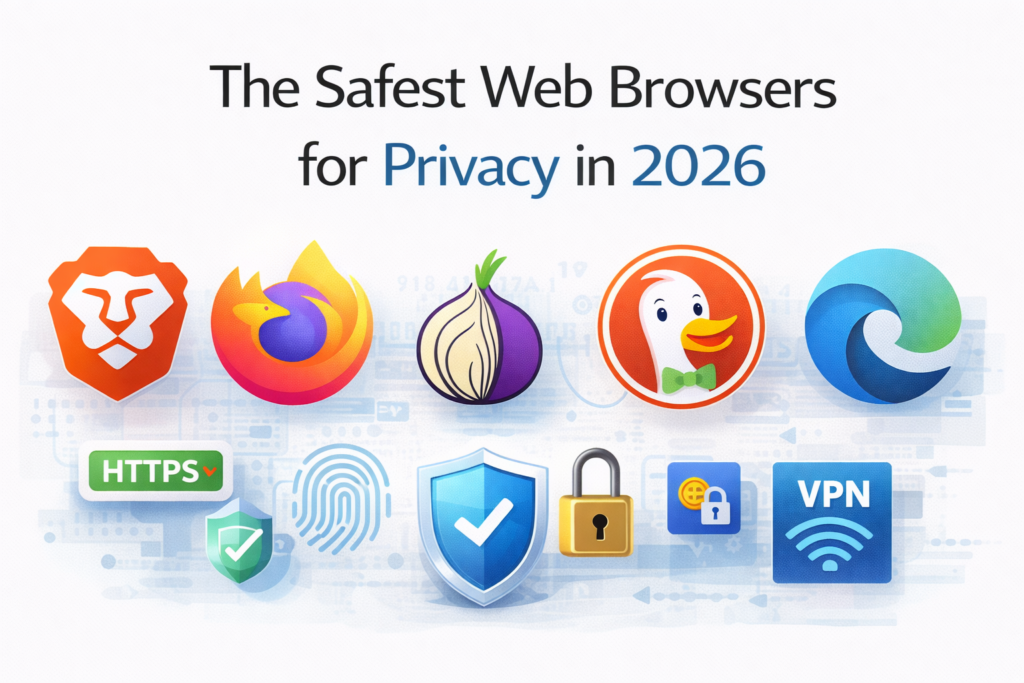
1. Brave Browser
Brave has become one of the most popular privacy browsers.
Key Features:
- blocks ads and trackers by default
- built-in HTTPS Everywhere
- fingerprinting protection
- private browsing with Tor
Why it’s great:
You don’t need to install extra extensions—privacy comes built-in.
Best for:
Users who want maximum privacy with minimal setup
2. Mozilla Firefox
Firefox is a strong alternative to mainstream browsers.
Key Features:
- enhanced tracking protection
- customizable privacy settings
- open-source transparency
- strong extension support
Why it’s great:
You can fine-tune privacy settings based on your needs.
Best for:
Users who want control and flexibility
3. Tor Browser
Tor is the most privacy-focused browser available.
Key Features:
- routes traffic through multiple servers
- hides IP address
- prevents tracking and surveillance
Why it’s great:
Provides maximum anonymity online
Downsides:
- slower browsing speed
- some websites may not work properly
Best for:
Users needing high anonymity and security
4. DuckDuckGo Browser
DuckDuckGo is known for its privacy-first approach.
Key Features:
- no tracking or profiling
- built-in tracker blocking
- private search engine integration
Why it’s great:
Simple and clean with strong privacy basics.
Best for:
Beginners who want easy privacy protection
5. Microsoft Edge (Privacy Mode)
While not a fully private browser, Edge has improved significantly.
Key Features:
- tracking prevention modes
- Microsoft Defender integration
- password monitoring
Why it’s useful:
Good balance between performance and privacy
Best for:
Users who want privacy without switching ecosystems
6. Safari
Safari is optimized for Apple devices with strong privacy controls.
Key Features:
- Intelligent Tracking Prevention
- strong sandboxing
- energy-efficient browsing
Why it’s great:
Built-in privacy features without extra setup.
Best for:
Apple users who want secure and smooth browsing
Browsers You Should Be Careful With
Some popular browsers prioritize convenience over privacy.
For example, Google Chrome offers speed and extensions but collects significant user data.
That doesn’t mean it’s unsafe—but it’s not the best choice if privacy is your top priority.
Quick Comparison Table
| Browser | Privacy Level | Speed | Ease of Use |
|---|---|---|---|
| Brave | High | Fast | Easy |
| Firefox | High | Fast | Medium |
| Tor | Very High | Slow | Medium |
| DuckDuckGo | High | Fast | Very Easy |
| Edge | Medium | Fast | Very Easy |
| Safari | Medium-High | Fast | Easy |
How to Maximize Privacy (No Matter Which Browser You Use)
Even the best browser needs proper setup.
🔒 Use Private Mode When Needed
Limits tracking and saves less data.
🔑 Install Security Extensions
- ad blockers
- anti-tracking tools
🌐 Use a VPN
Adds an extra layer of anonymity.
🔄 Keep Browser Updated
Prevents security vulnerabilities.
🚫 Avoid Suspicious Websites
Prevention is always better than cure.
Real Human Advice
No browser can make you 100% anonymous.
Your behavior matters just as much as your tools.
- avoid clicking unknown links
- don’t share sensitive info casually
- log out of accounts when needed
Privacy is a combination of tools + habits.
Final Thoughts
In 2026, online privacy is more important than ever.
If your goal is maximum privacy:
- use Tor or Brave
If you want balance:
- go with Firefox
If you prefer simplicity:
- choose DuckDuckGo Browser
The key takeaway:
Choose a browser that respects your data—and use it wisely
SHARING IS CARING 💖