
Smart homes are no longer just about voice assistants and mobile apps. One of the most underrated tools for home automation is the NFC (Near Field Communication) tag. These tiny, inexpensive chips can transform everyday routines into seamless automated experiences.
By simply tapping your phone on an NFC tag, you can trigger a chain of actions—turning on lights, adjusting the thermostat, playing music, launching routines, or even securing your home.
In this guide, you’ll discover seven clever places to place NFC tags around your home to automate tasks, save time, and create a more convenient lifestyle. Whether you’re a beginner or already experimenting with automation, these ideas can dramatically improve how your smart home works.
What Are NFC Tags and How Do They Work?
NFC tags are small programmable chips that communicate wirelessly with smartphones or smart devices when they are brought close together—usually within a few centimeters.
Most modern smartphones already support NFC. With apps such as automation tools or smart home integrations, a single tap on an NFC tag can trigger a predefined action.
Why NFC Tags Are Perfect for Smart Homes
- Extremely affordable
- No batteries required
- Easy to program
- Fast tap-to-trigger actions
- Works with most smartphones
Unlike voice commands, NFC tags allow silent and instant automation, which can be useful in situations where speaking to a smart assistant isn’t ideal.
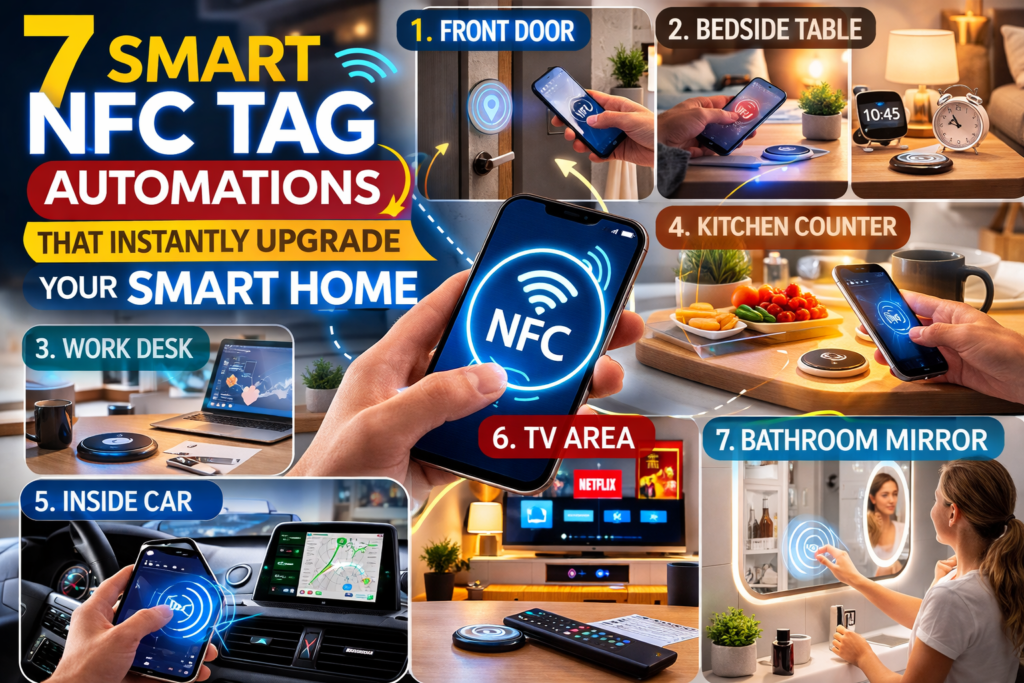
1. Your Front Door: Instantly Trigger Your “Arrive Home” Routine
One of the smartest places to install an NFC tag is near your front door. This simple placement allows you to trigger your home arrival routine as soon as you walk in.
Example Automations
- Turn on hallway and living room lights
- Disable security alarms
- Adjust thermostat temperature
- Start your favorite playlist
- Send a notification that you arrived home
Instead of unlocking your phone and opening an app, you can simply tap your phone on the NFC tag mounted near the door frame.
Why This Placement Works
Your entry point is where routines naturally start. Automating this moment eliminates friction and creates a welcoming environment the moment you arrive.
2. Your Bedside Table: Night Mode With One Tap
The bedside table is another perfect location for an NFC tag. It can trigger your bedtime routine instantly.
What a Bedtime NFC Tag Can Do
- Turn off house lights
- Lock smart doors
- Activate security cameras
- Lower thermostat temperature
- Turn on white noise or sleep music
- Enable Do Not Disturb mode
A simple tap before sleeping ensures your entire home shifts into night mode automatically.
Extra Tip
Hide the NFC tag under your bedside lamp or attach it discreetly under the table for a clean look.
3. Your Work Desk: Activate Productivity Mode
If you work from home, an NFC tag on your desk can help you instantly enter focus mode.
Productivity Automation Ideas
- Turn on desk lights
- Start a focus playlist
- Activate a Pomodoro timer
- Block distracting apps
- Open your work apps automatically
With one tap, your workspace transforms into a distraction-free productivity environment.
Why This Works
It helps create a mental trigger. Tapping the tag signals your brain that it’s time to focus.
4. Your Kitchen Counter: Cooking Assistant Mode
Cooking often involves messy hands, making phone interaction inconvenient. An NFC tag placed on the kitchen counter solves this problem.
Possible Automations
- Open your recipe app
- Start a cooking timer
- Play cooking music or podcasts
- Turn on kitchen lights
- Set a grocery reminder
Instead of touching your phone repeatedly while cooking, a single tap activates everything you need.
5. Inside Your Car: Smart Driving Mode
Place an NFC tag on your car dashboard or phone holder to activate driving mode instantly.
Useful Driving Automations
- Launch navigation
- Turn on Bluetooth
- Play your driving playlist
- Send ETA to family
- Enable driving focus mode
This automation ensures you start your drive with everything ready without manually setting up each feature.
6. Near Your TV: One-Tap Entertainment Setup
Your living room entertainment system can also benefit from NFC automation.
Place a tag near your remote or TV stand.
Entertainment Routine Ideas
- Turn on smart TV
- Dim living room lights
- Launch Netflix or streaming apps
- Activate surround sound speakers
- Close smart curtains
With one tap, your living room becomes a personal home theater.
7. Bathroom Mirror: Morning Routine Automation
Morning routines often involve multiple small tasks. An NFC tag near your bathroom mirror can streamline your entire morning.
Morning Routine Actions
- Turn on bathroom lights
- Start a news briefing
- Display weather forecast
- Start coffee machine
- Show daily calendar events
- Play morning music
This automation helps you start the day efficiently and consistently.
How to Set Up NFC Tags for Smart Home Automation
Setting up NFC tags is surprisingly simple.
Step-by-Step Setup
- Buy programmable NFC tags
- Install an NFC automation app
- Create an automation routine
- Write the action to the NFC tag
- Test the tap trigger
Once programmed, the tag will trigger the automation every time your phone scans it.
Best Tips for Using NFC Tags Effectively
1. Hide Tags for a Cleaner Look
Place them under furniture, behind objects, or inside decorative items.
2. Label Them During Setup
Use temporary labels until you memorize their functions.
3. Combine With Smart Home Platforms
Integrate with systems that control lights, thermostats, or security.
4. Use Different Tags for Different Family Members
Each person can have customized routines.
5. Keep Backup Automations
Voice assistants or apps can act as backup controls.
Security Considerations
Although NFC tags are generally safe, consider a few precautions.
- Avoid placing tags outside your home
- Do not store sensitive personal data on tags
- Use authentication for security routines
These steps ensure your smart home remains secure.
Why NFC Tags Are the Future of Simple Automation
While smart assistants and automation apps are powerful, they often require multiple steps or voice interaction.
NFC tags solve this problem by offering instant physical triggers. The tap interaction is fast, intuitive, and accessible to everyone in the household.
As smart homes continue evolving, NFC tags will likely become a standard tool for creating seamless daily routines.
Final Thoughts
NFC tags are one of the most affordable and powerful upgrades you can add to a smart home. With just a few dollars and a little creativity, you can automate everyday routines and make your home feel smarter than ever.
From your front door to your bedside table, these tiny chips can trigger powerful automations that simplify your life.
If you’re just getting started, try placing NFC tags in high-traffic areas where routines naturally happen. Once you experience how convenient tap-to-automate can be, you’ll likely find even more ways to integrate NFC into your daily life.
SHARING IS CARING 💖