
WhatsApp is one of the most trusted messaging apps in the United States for personal chats, business communication, and customer support. But many users suddenly face an annoying issue where WhatsApp messages are not delivering, showing only one tick or staying stuck without any status.
If your WhatsApp messages are not delivering in the USA, don’t panic. This problem is common and usually caused by network issues, account settings, or temporary restrictions. The good news is that it can be fixed in most cases.
This guide explains why WhatsApp messages fail to deliver, how to fix the issue step by step, and how to prevent it from happening again.
What Does “WhatsApp Message Not Delivering” Mean?
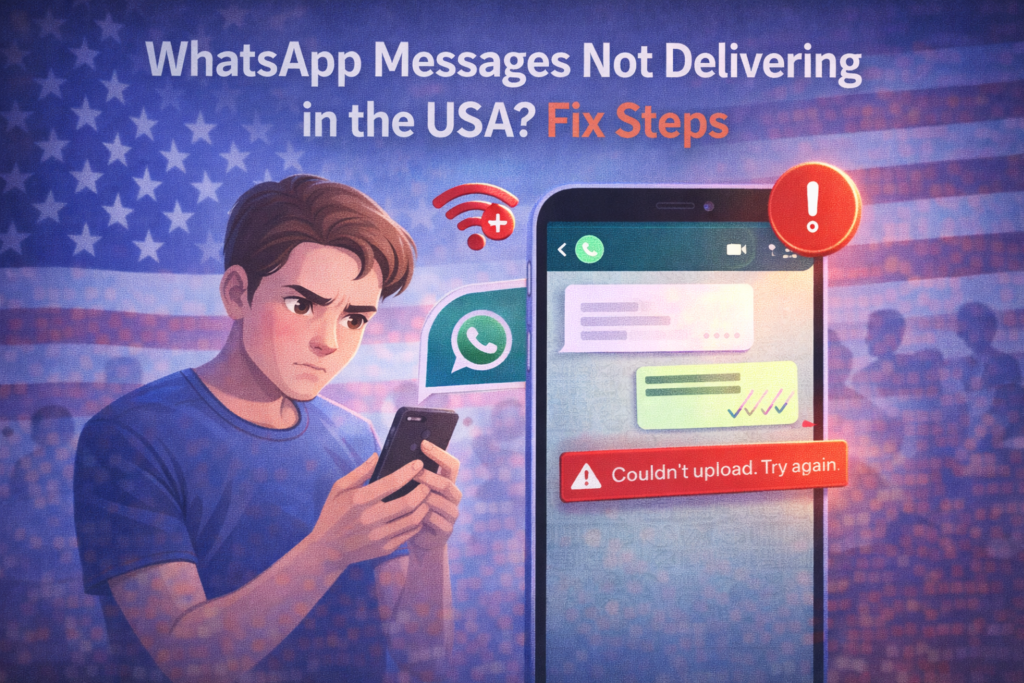
When a WhatsApp message is not delivering, it usually means:
- Your message shows one gray tick
- The message is stuck sending
- Messages are delayed for hours
- Messages never reach the recipient
This means WhatsApp cannot connect properly to the recipient or its servers.
Common Reasons WhatsApp Messages Are Not Delivering
Understanding the cause helps you fix the problem faster.
1. Internet Connection Issues
WhatsApp requires a stable internet connection. Messages may fail if:
- Mobile data is weak
- Wi-Fi is unstable
- Network switches frequently
2. The Recipient Has No Internet
If the other person:
- Has their phone switched off
- Has no data or Wi-Fi
- Is in airplane mode
Your message will not be delivered.
3. You Have Been Blocked
If someone blocks you:
- Messages will show only one tick
- Calls won’t connect
- Profile photo won’t update
This is a common but often overlooked reason.
4. WhatsApp Server Issues
Sometimes the problem is not on your phone. WhatsApp servers may be temporarily down or experiencing delays in the USA.
5. Background Data Restrictions
If background data is disabled, WhatsApp may not sync messages properly.
6. Account or Temporary Restrictions
If WhatsApp detects spam-like behavior, it may temporarily limit message delivery.
How to Fix WhatsApp Messages Not Delivering (Step-by-Step)
Follow these solutions in order. Most users fix the issue within minutes.
✅ Step 1: Check Your Internet Connection
- Switch between Wi-Fi and mobile data
- Turn Airplane Mode on for 10 seconds, then off
- Restart your router if using Wi-Fi
A strong connection is essential.
✅ Step 2: Restart Your Phone
Restarting clears temporary system glitches that may block WhatsApp connectivity.
✅ Step 3: Check WhatsApp Server Status
If WhatsApp is down, messages won’t deliver. In this case, wait until the service is restored.
✅ Step 4: Disable Battery Saver or Data Saver
On many phones:
- Battery Saver stops background apps
- Data Saver limits WhatsApp syncing
Turn these off and try again.
✅ Step 5: Check Background Data Permissions
Make sure WhatsApp is allowed to run in the background:
- Go to phone Settings
- Open Apps → WhatsApp
- Enable background data and unrestricted usage
✅ Step 6: Update WhatsApp
Outdated apps may stop working correctly.
- Go to App Store or Google Play
- Update WhatsApp to the latest version
✅ Step 7: Ask the Recipient to Check Their Phone
Sometimes the issue is on the other side. Ask them to:
- Check internet
- Restart phone
- Update WhatsApp
✅ Step 8: Check If You’re Blocked
If messages always show one tick and calls fail, you may be blocked. Unfortunately, there’s no technical fix for this.
How Long Does the Problem Last?
For most USA users:
- Network issues: a few minutes to 1 hour
- Server issues: 1–24 hours
- Temporary restrictions: 24–72 hours
The issue is rarely permanent.
What NOT to Do
❌ Don’t reinstall WhatsApp repeatedly
❌ Don’t use modified WhatsApp apps
❌ Don’t send bulk or spam messages
❌ Don’t use VPNs unnecessarily
These can make the issue worse.
How to Prevent WhatsApp Message Delivery Issues
✔ Use a stable internet connection
✔ Keep WhatsApp updated
✔ Avoid spam-like messaging
✔ Use the official WhatsApp app only
✔ Keep background data enabled
Following these tips keeps your account healthy.
Frequently Asked Questions (FAQs)
Why do my WhatsApp messages show only one tick?
It usually means the recipient is offline, has blocked you, or there’s a network issue.
Can WhatsApp delay messages?
Yes. Server issues or poor connectivity can delay delivery.
Does VPN affect WhatsApp delivery?
Yes. VPNs can cause connection problems or delays.
Will deleting chats fix the issue?
No. Message delivery issues are not related to chat history.
Final Thoughts
If your WhatsApp messages are not delivering in the USA, the issue is usually temporary and easy to fix. By checking your internet, updating the app, and avoiding restricted activity, most users can restore normal messaging quickly.
WhatsApp is designed to be reliable, but occasional issues do happen—especially during updates or network changes.
For more WhatsApp fixes and social media solutions, keep visiting SocialMediaFixes.com.
SHARING IS CARING 💖